Content
Try for freeSeptember 2026 product updates
Product Updates
October 14, 2026
Product Updates
October 14, 2026

September was a big month, led by a rebuilt analytics section and the new Shopify integration, with a long list of upgrades across the builder, pricing, payments, tracking, and localization. Here's everything that shipped.

Katya Madonova
web2wave
A big analytics update
Analytics got a major update across the whole section.
Overview
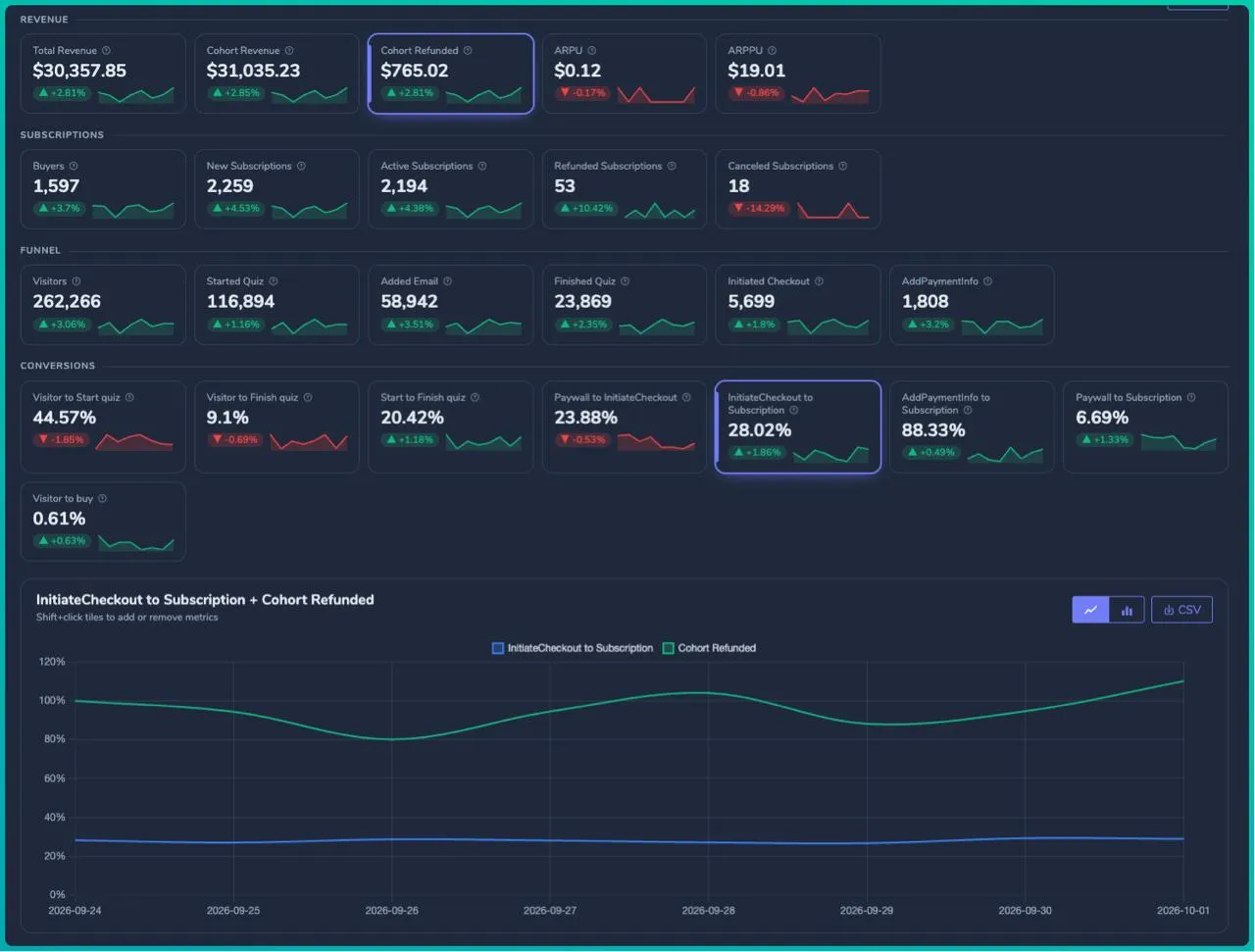
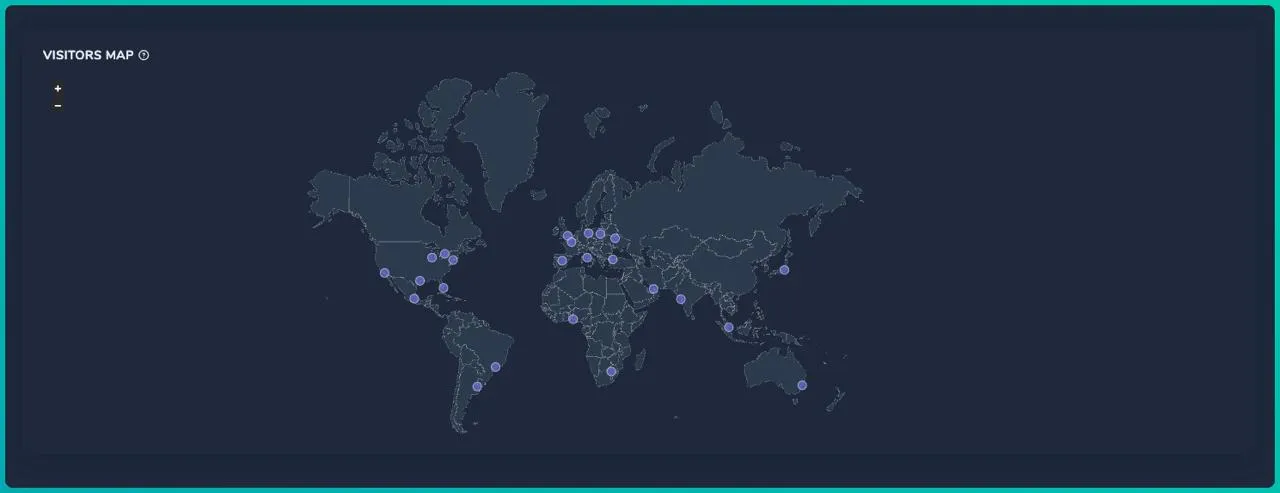
- Pick several metrics and compare them on one chart by Shift+clicking tiles, with trend sparklines on every tile
- New metrics, including Refunded Subscriptions, Canceled Subscriptions, and Cohort Revenue
- A visitors map showing where your traffic comes from
Funnels
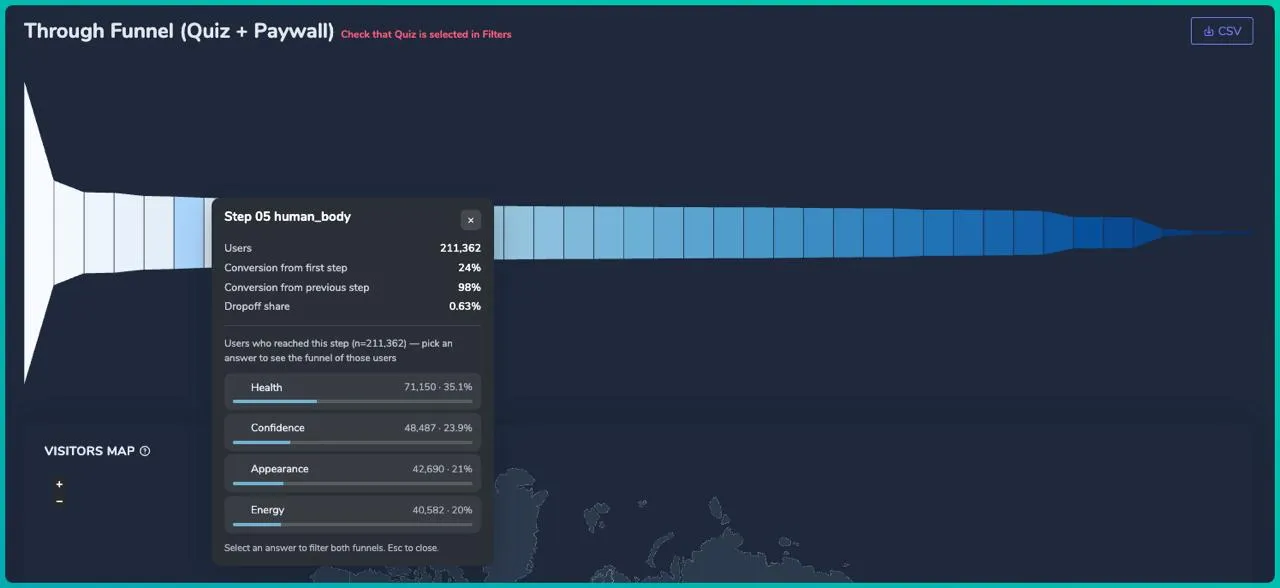
- Click any step in the Quiz or Through funnel to see the answers people gave
- Select an answer to filter the whole funnel by it
Cohort revenue
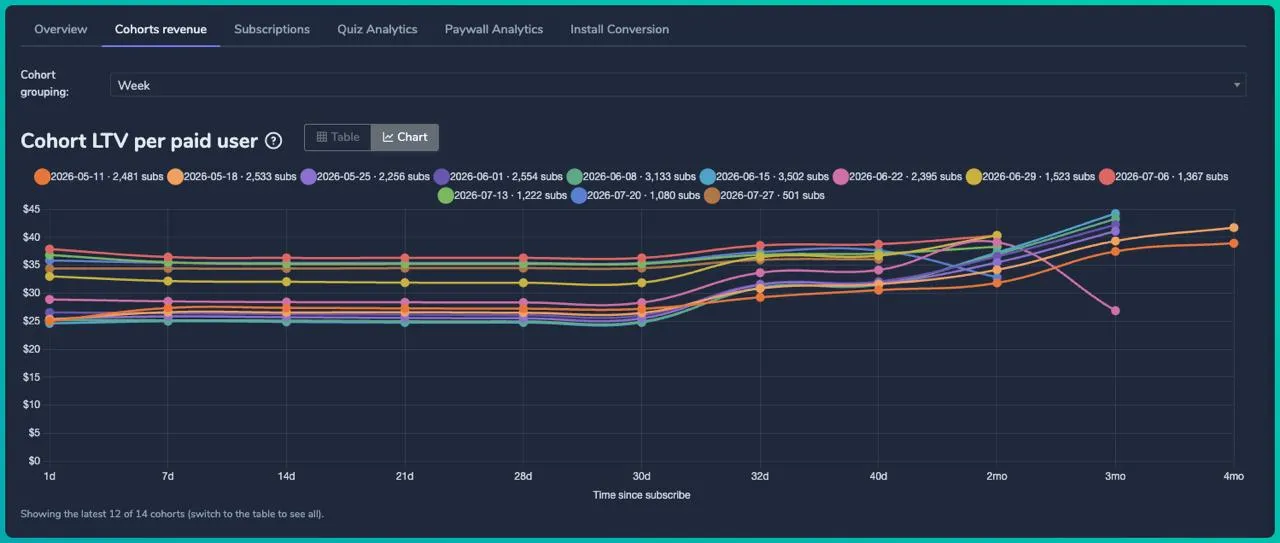
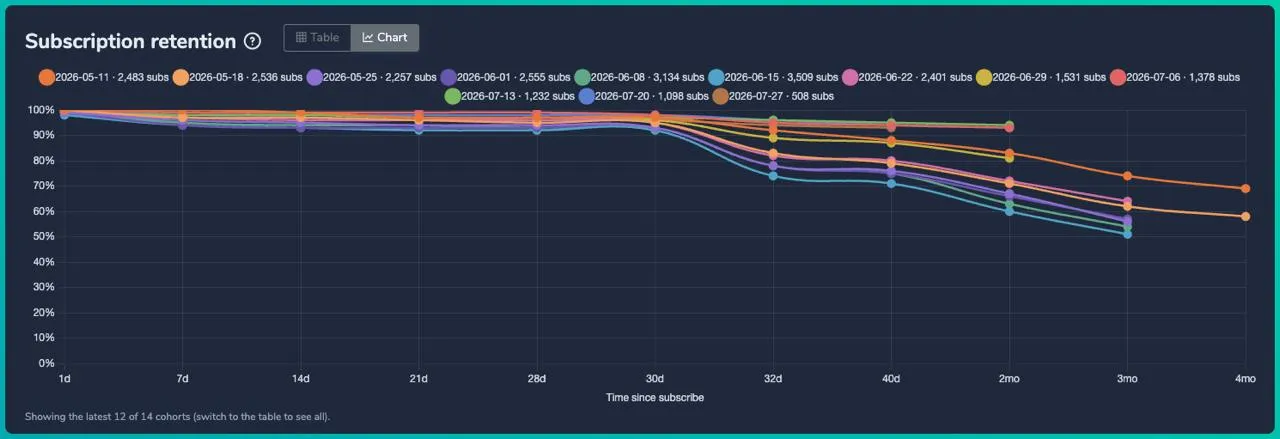
- Charts for LTV, revenue, and retention, with a chart or table toggle
New: Subscriptions tab
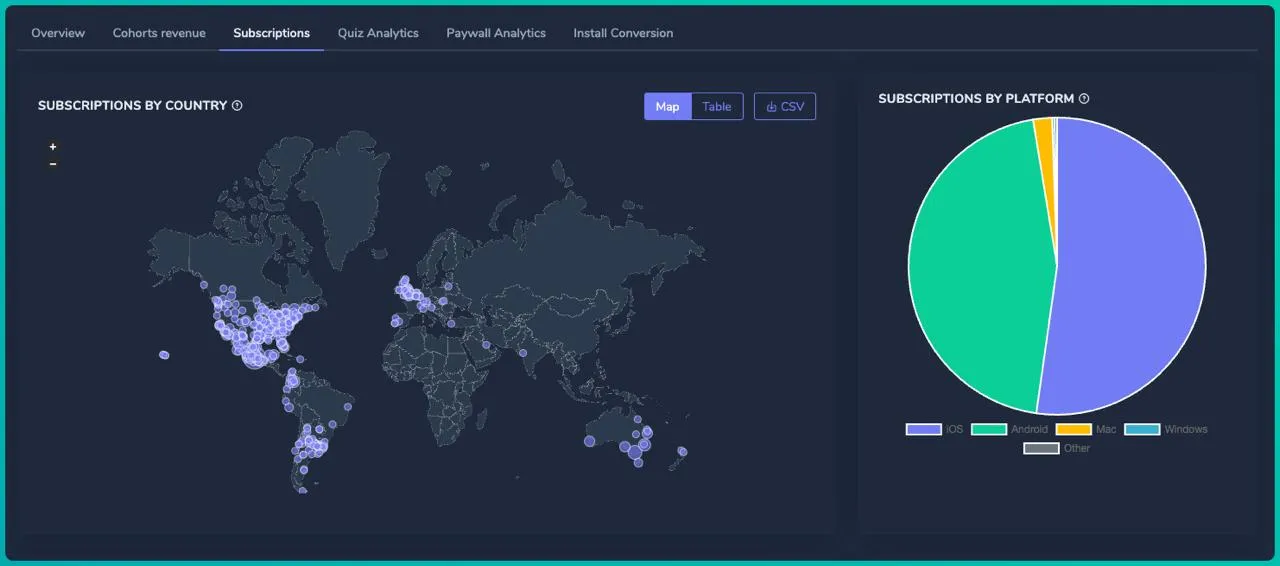
- A purchases map and breakdowns by country, platform, price, and status
- A heatmap of when people buy, by weekday and hour, showing count, revenue, and conversion
New: Chart Builder
- Build custom reports with the metrics, breakdowns, and filters you need
New: Table Report
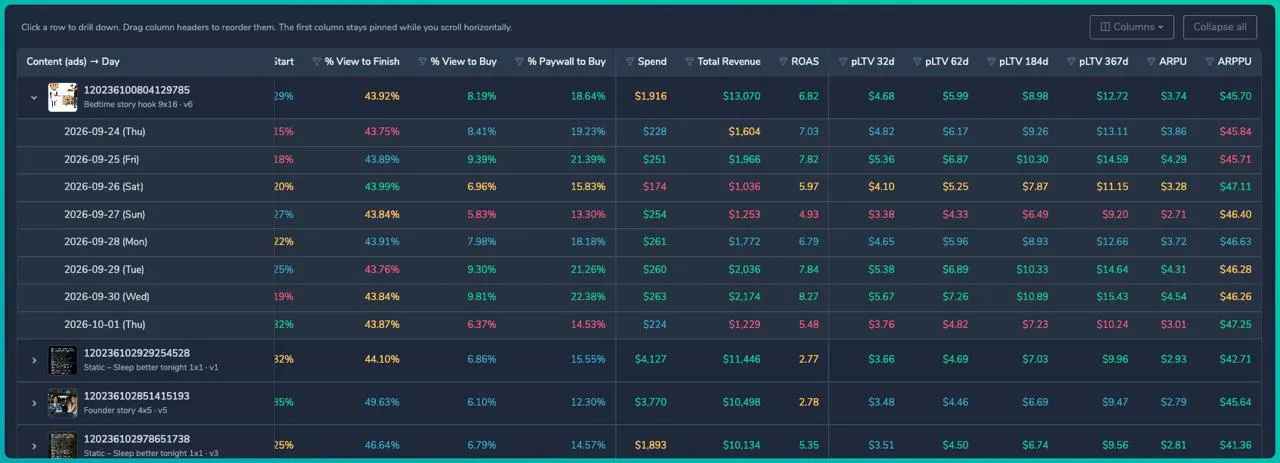
- Group by campaign, content, quiz, source, and more
- Preview ad creatives with per-ad performance
- Split by day, choose and reorder columns, and apply advanced filters
- Connect your ad account to see ROAS right in the table
Open Analytics in your account to try it.
web2wave × Shopify is live

You can now connect your Shopify store to web2wave and sell through quiz funnels, with no extra tools in between.
What you can do
- Build quizzes and connect them to your Shopify store, and import your whole catalog in a few clicks
- Sell one-time purchases and subscriptions with any payment system you already use
- Track everything through the analytics pixels you need, including Meta and TikTok
- Send emails, run multi-language funnels, and use the rest of the web2wave toolkit
Physical products in your funnel
Add physical goods to regular subscriptions and digital products, or sell them on their own. After checkout, the order is created in Shopify automatically, with no extra integration or manual work. The whole path runs from quiz to paywall to payment to Shopify order in one flow.
It's available now in your web2wave cabinet.
Paywall and quiz building
Promo ticket block with countdown
Add a promo code display with a built-in countdown timer to any paywall, no custom code needed, with customizable text, timer behavior, and styling. You can also rename the Timer with Promocode labels, like "Applied limited discount" and "Applicable for," and give the left and right sections their own colors.
Voice recording quiz block
Collect audio responses in your quizzes. Users can record by microphone, upload an audio file, or play back their response on the spot. Useful for testimonials, voice feedback, or skill assessments.
Custom list markers
Replace standard bullets in quiz and paywall lists with any character, such as checkmarks, arrows, or stars, to match your brand.
Hide the QR code on the download app banner
A new "Show all, no QR" mode shows the App Store and Google Play buttons without the QR code, for a cleaner banner focused on direct store links.
Block search in the editor
Find any block across all screens instantly, and move between matches with Enter, F3, and Ctrl+G, which makes editing complex funnels faster.
Pricing and subscriptions
Link related prices to prevent double purchases
Create relationships between prices so double-purchase checks apply across the whole group. If someone buys Price A, they're blocked from immediately buying linked Price B, even when the products are technically different. Set it up in the price editor.
Upgrade and downgrade shortcuts
Set upgrade and downgrade prices once in your subscription plans instead of configuring logic on every paywall. Customers move between tiers in one click, and the system resolves the correct target price automatically.
Payments and integrations
Solidgate alternative payment methods
We've added support for alternative payment methods through Solidgate, including local payment options and digital wallets. Payment statuses now map correctly, so your subscription flows work regardless of which method your customers choose.
Two new payment orchestration integrations
Truegate (truegate.tech) and Upgate (upgate.com) are now available as payment orchestration options.
Sync subscriptions to Apphud
Set up the integration in project settings to sync all your web2wave subscriptions to Apphud. Docs and integration prompts.
Sync subscriptions to Superwall
Set up the integration in project settings to sync all your web2wave subscriptions to Superwall. Docs and integration prompts.
Tracking and attribution
Snapchat Pixel and CAPI alignment
Snapchat conversions now sync correctly between the Pixel and the Conversions API, which removes duplicate detection. Your Sign Up and Purchase events match in Snap Events Quality Score, giving you accurate attribution for your campaigns.
Per-currency custom event values
Set different conversion event values for each currency in your multi-currency prices. Meta, TikTok, and other ad platforms now see accurate local values instead of auto-converted figures.
Localization
Force a quiz language by URL
Add ?user_language= to a quiz or paywall link to lock a visitor's language and override their browser setting. Useful for running targeted campaigns in different languages or testing localized funnels before going live.
Include translations in reports
Check "Include translations" when analyzing a quiz or paywall to see combined metrics for all AI-translated and Crowdin versions, grouping every localized copy for clearer cross-language insights.
Get started
Everything above is live in your web2wave account. Open Analytics or connect your Shopify store to start with the two big ones.
Share this Article
Build your web funnel with web2wave
Start using web funnels: Launch faster, convert better, and keep more revenue with no app store limitations
.webp)