Content
Try for freeOctober 2026 product updates
Product Updates
November 11, 2026
Product Updates
November 11, 2026

October was led by three big releases: LTV Predictions, a much bigger API and MCP, and the new AI Support Desk. Underneath those is a long list of payment, analytics, API key, and builder upgrades. Here's everything that shipped.

Katya Madonova
web2wave
Introducing LTV Predictions
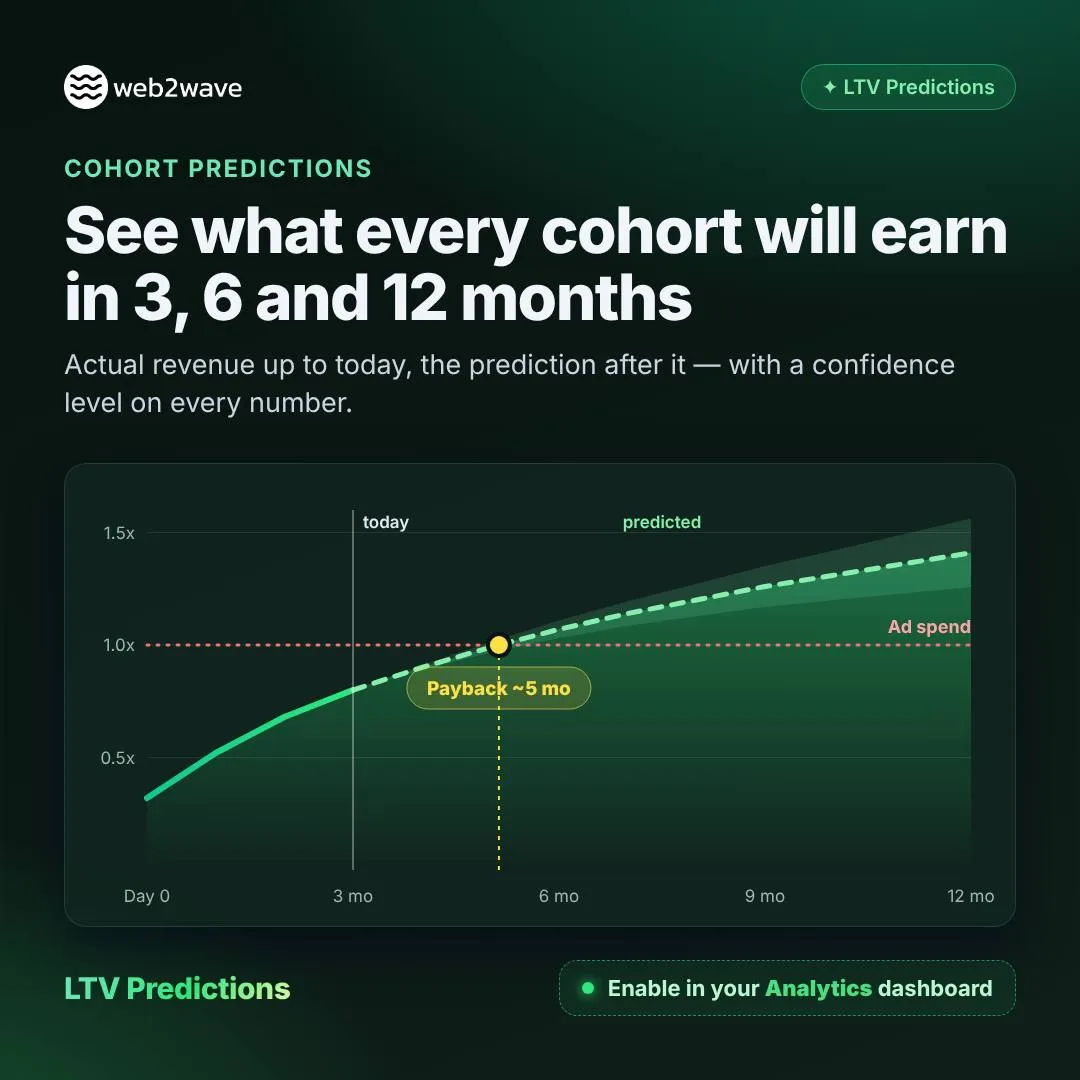
A campaign sitting at 0.3x ROAS in week one can be your best performer by month six, or your worst, and until now you only found out after the budget was spent. LTV Predictions gives you accurate predictions of what every cohort, campaign, and A/B test will earn at 3, 6, and 12 months, with one click and no models to build.
What you get
- Predicted LTV per cohort, with a confidence level on every number
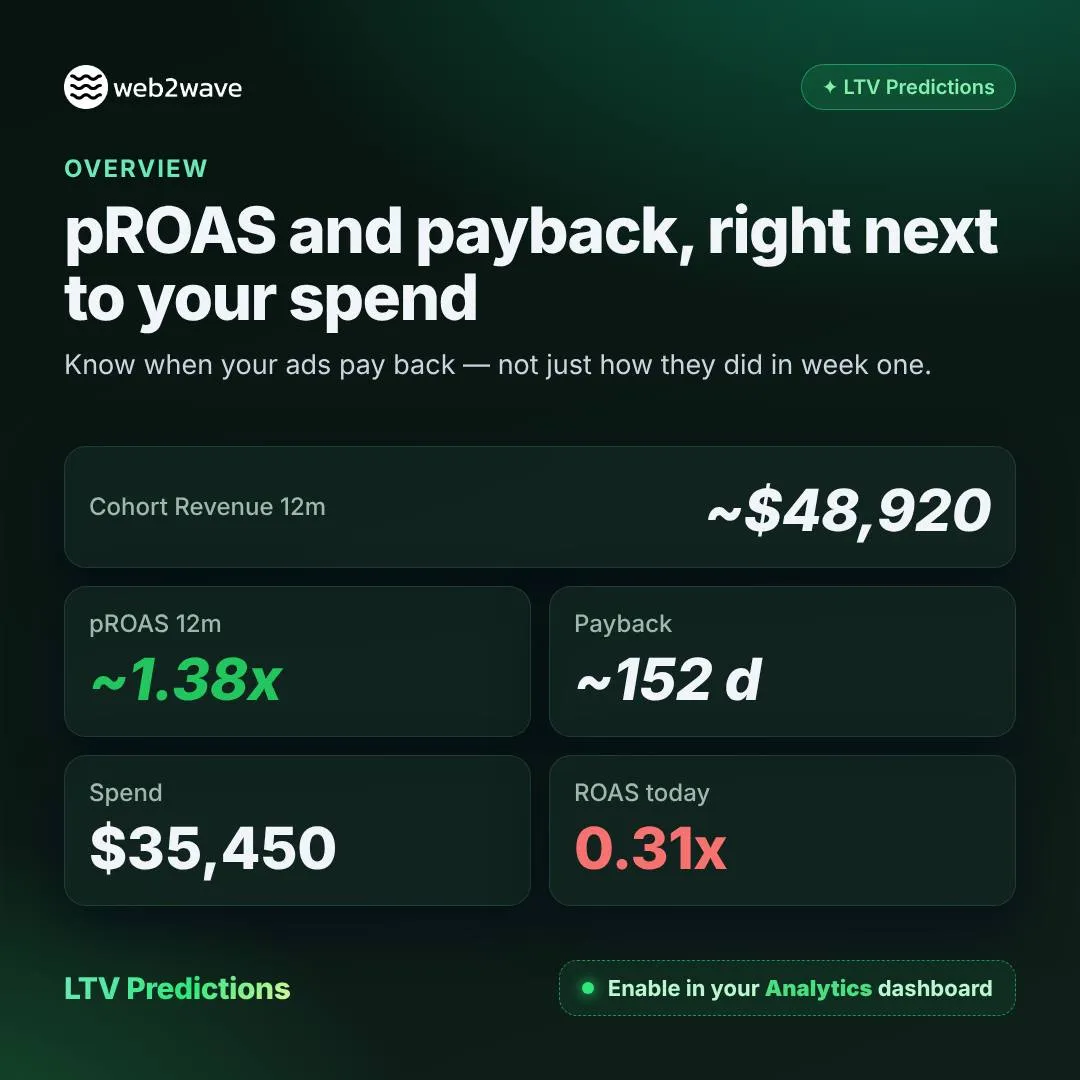
- pROAS and payback per campaign, ad, and source, right next to your spend in the Table Report and Overview
- pLTV per visitor in A/B tests, with significance, so you can pick winners by revenue instead of conversion rate
- Predicted LTV sent to Meta via the Conversions API, so value-based bidding chases long-term subscribers instead of trial churners
How it works
The model learns from your own cohorts and borrows patterns from similar subscription apps. The more data you have, the more it trusts yours. The result is that you can cut losing campaigns weeks earlier, scale the winners with confidence, and stop waiting six months to know what worked.
Turn it on in your dashboard under Analytics → Add LTV Predictions. Docs.
More accurate pLTV for young subscriptions
pLTV and pROAS for subscriptions under 17 days old are now calculated from their own invoices and the freshest daily cohorts, instead of waiting 10 to 17 days for milestones. The first charge after a trial shows up in your numbers the next day. On our backtest, prediction error for young trial subscriptions dropped from 0.179 to 0.103, so you can make campaign decisions sooner and with more confidence.
A bigger API and MCP
Your AI assistant (Claude, Cursor, Codex) can now run the funnel for you: read analytics, fork funnels, set up email automation, and generate ad creatives, all from a single prompt. Connect it at mcp.web2wave.com, with full docs at docs.web2wave.com.
New in the API
- GET /reports/overview: the Analytics Overview tab via API, with KPIs, previous-period comparison, and a daily or hourly chart. Docs
- GET /reports/events: funnel event counts from paywall view to checkout to payment info to subscribe, by hour or day, quiz, paywall version, and payment system. Docs
- POST /quizzes/{id}/copy: duplicate a quiz in one call. Docs
- POST /paywalls/{id}/copy: the same for paywalls, with prices and plans included. Docs
- Email sequences: full CRUD, test send, translations, and AI generation. Docs
- Quiz funnel report split by country, refund reason codes, and favicon, OG, SEO, and more ad-pixel fields on quizzes and paywalls
New in the MCP
Fifteen new tools, including:
- web2wave_overview_report and web2wave_event_counts for analytics
- web2wave_copy_quiz, web2wave_copy_paywall, and web2wave_restore_quiz for managing funnels
- Email sequence tools to create, update, test-send, archive, and restore, plus web2wave_generate_email_sequence, where AI writes the whole drip
- web2wave_report_graph, which now covers Meta Ads spend, per-step quiz answers, platform and location maps, purchase heatmaps, and the full UTM drill-down
Every tool description now ships with ready-to-use examples, and the server tells the model which tool answers which question.
AI ad creatives from your agent
Research what wins, then generate your own images and videos straight from your agent, with no cabinet and no manual briefs.
- Trends research: search winning paid ads by keyword, category, brand, or media type in the Inspiration Feed, see which brands jumped in activity this week with Market Movers, and pull brand analytics, similar brands, and landing pages per domain. Ads docs · Market Movers docs
- Generation via POST /creatives/generate: a static image or video from a short brief, where you choose audience, angle, style, format, brand color, exact copy, and number of variants. Take a competitor ad from the feed as the concept, or show your own quiz as the product screen, with a cost estimate before you spend. Docs
Research and generation run on a prepaid wallet, and estimates, audiences, and scenarios are free. Targeted screen edits (patch_screens) and file uploads also shipped this month.
What you can ask
- "How did we do this week vs last week?"
- "How many checkouts per hour did paywall 12 get yesterday?"
- "Copy this quiz as variant B and shorten the intro."
- "Write a 3-email welcome sequence in our quiz style and send me a test."
- "Find the top fitness-app ads, use the best one as a concept, estimate the cost, and make 3 vertical video variants for our quiz."
New: AI Support Desk
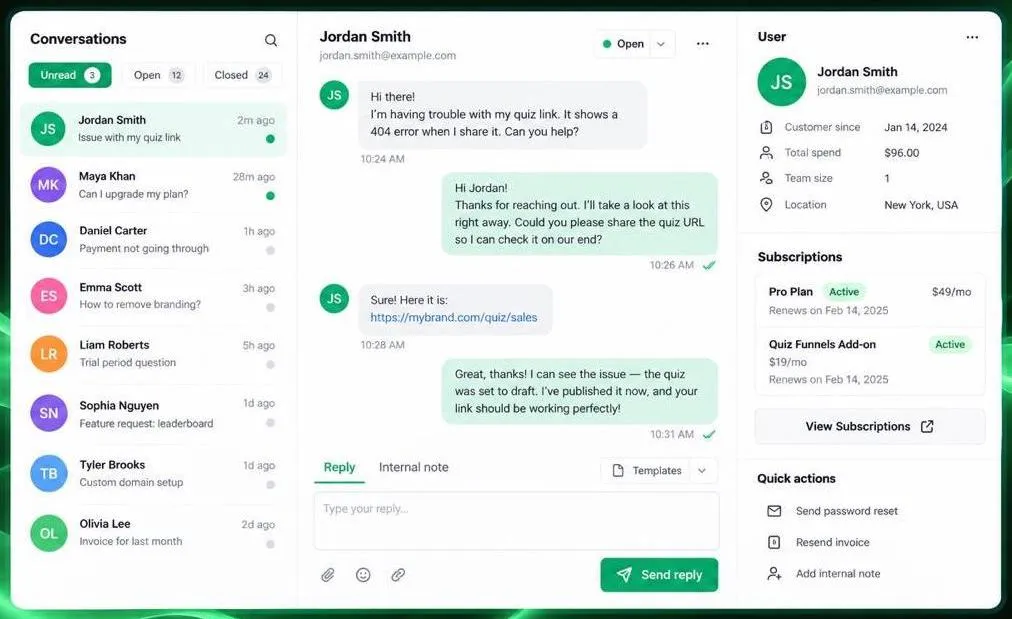
Your dashboard now has a Support Desk section where you can read and answer user emails in a chat-style view. Each project gets its own inbound email address, and you can add extra aliases.
- See the user's subscriptions next to the conversation
- Send replies with attachments
- Save reply templates with {user_id} and {email} placeholders
- Use AI to auto-reply to users or draft a response in one click
SMS and voicemail
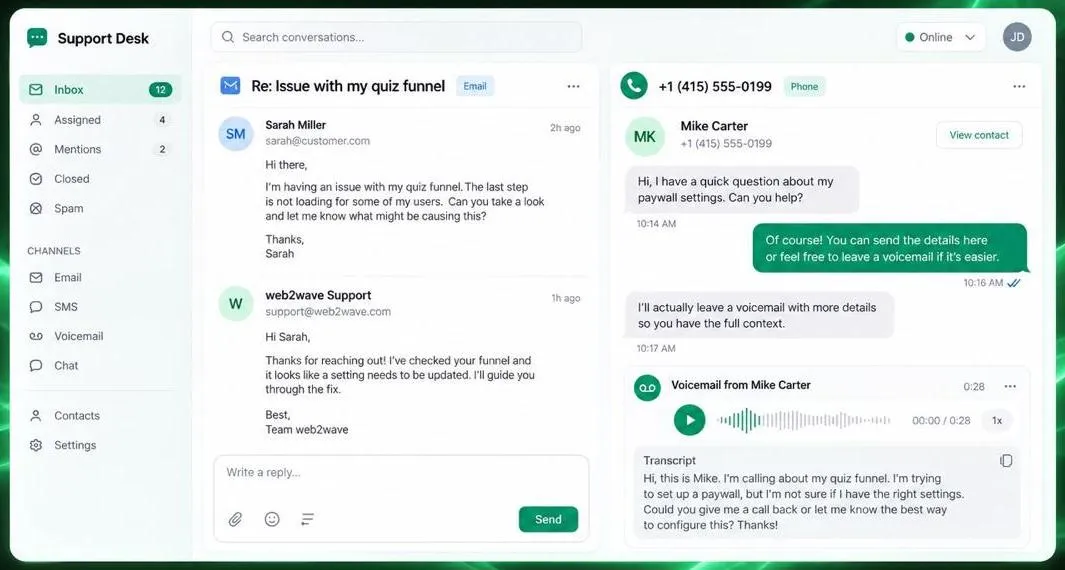
Support Desk now handles SMS and voicemail too. Each project can get its own phone number, and incoming texts and voicemail transcripts land in the same inbox as your email threads, so you can reply by SMS from there. You can also set up separate SMS auto-replies. It's a good way to support customers who prefer texting over email, and it's especially useful for working with chargebacks.
Support Desk is available in the API and MCP as well.
Analytics
A/B test results at a glance

The experiments list now shows how each test is going without opening the Results tab. You can see user trends, traffic share per variant, View to Subscribe conversion, and the difference versus control. A Result column tells you when a variant is significantly better or worse, or whether the test is still collecting data.
See your real revenue after fees
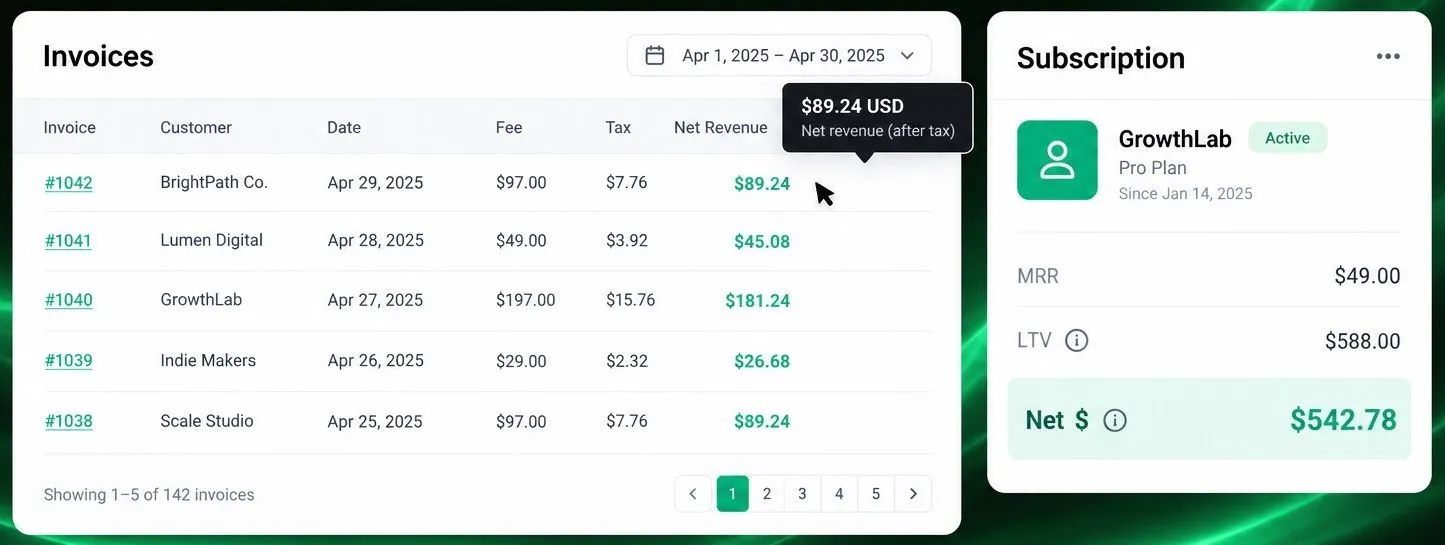
Invoices now show Fee, Tax, and Net Revenue columns, with USD amounts on hover. Subscription cards display net revenue after payment processor fees right under LTV. This gives you a truer picture of what each subscriber is actually worth, so you can judge campaign and funnel profitability on net numbers rather than gross.
Payments
Sell consumable products via Adapty and RevenueCat
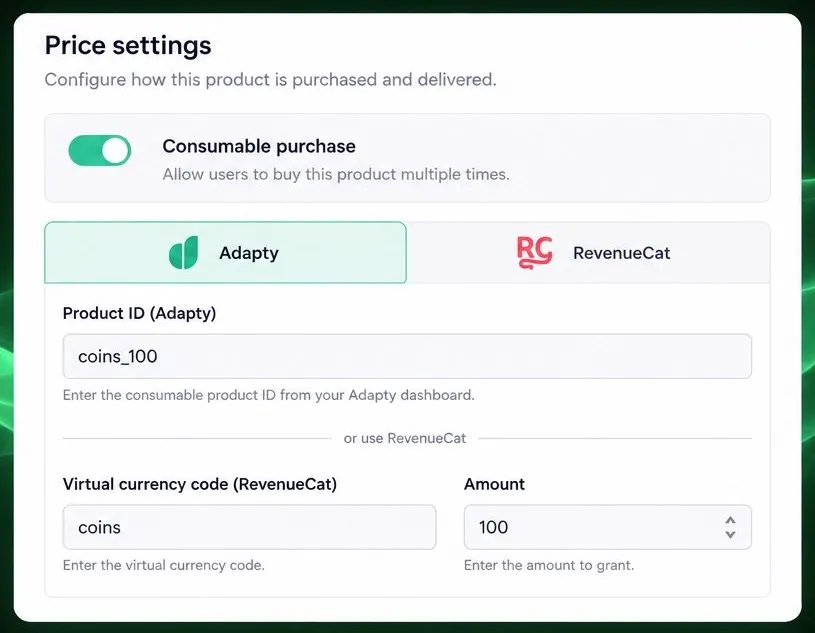
You can now mark a price as a consumable purchase in Adapty or RevenueCat. Instead of granting an access level or entitlement, web2wave records a one-time transaction or credits virtual currency to the user, and refunds reverse the transaction automatically. It fits in-app coin packs, credits, or any non-subscription product you sell through your paywall.
Adaptive Apple Pay and Google Pay for Solidgate
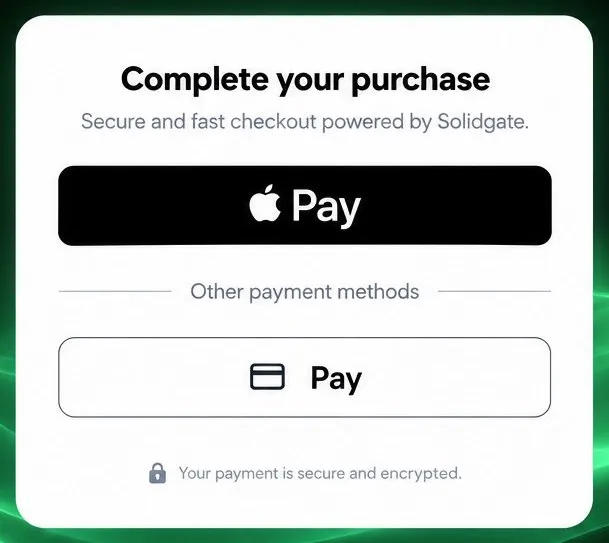
A new Solidgate block automatically shows Apple Pay or Google Pay depending on what the visitor's browser supports. If no wallet is available, you can show a default pay button or hide the block entirely. Add it to your payment accordion to offer the fastest checkout option on every device.
Solidgate charges in your customer's currency
Solidgate payments now use the same currency your paywall displays to the user, based on their country. If a currency isn't supported for a country, the payment falls back to the main price currency. Combine this with localized pricing on your paywall to keep what customers see and what they pay consistent.
Payment Failed Actions on Solidgate
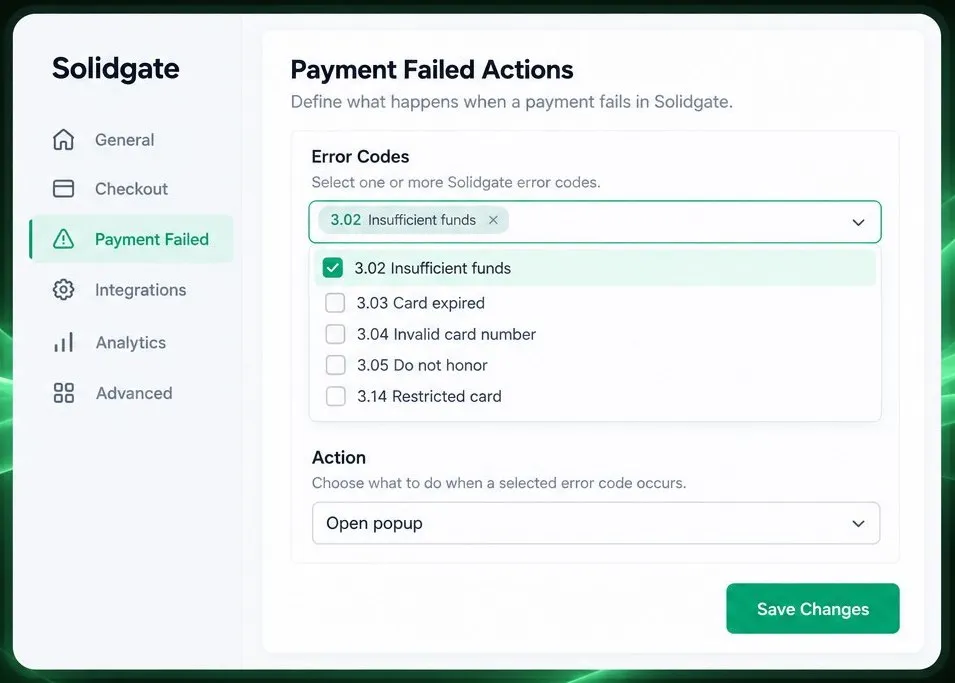
The Solidgate Checkout Form now supports Payment Failed Actions, just like Stripe, Primer, UpGate, and Truegate. When a payment is declined, you can open a popup or run a JS callback, optionally only for specific decline codes. Use it to offer a discount, suggest another payment method, or show a helpful message right when a customer is about to drop off.
API keys
Roll your API key in one click
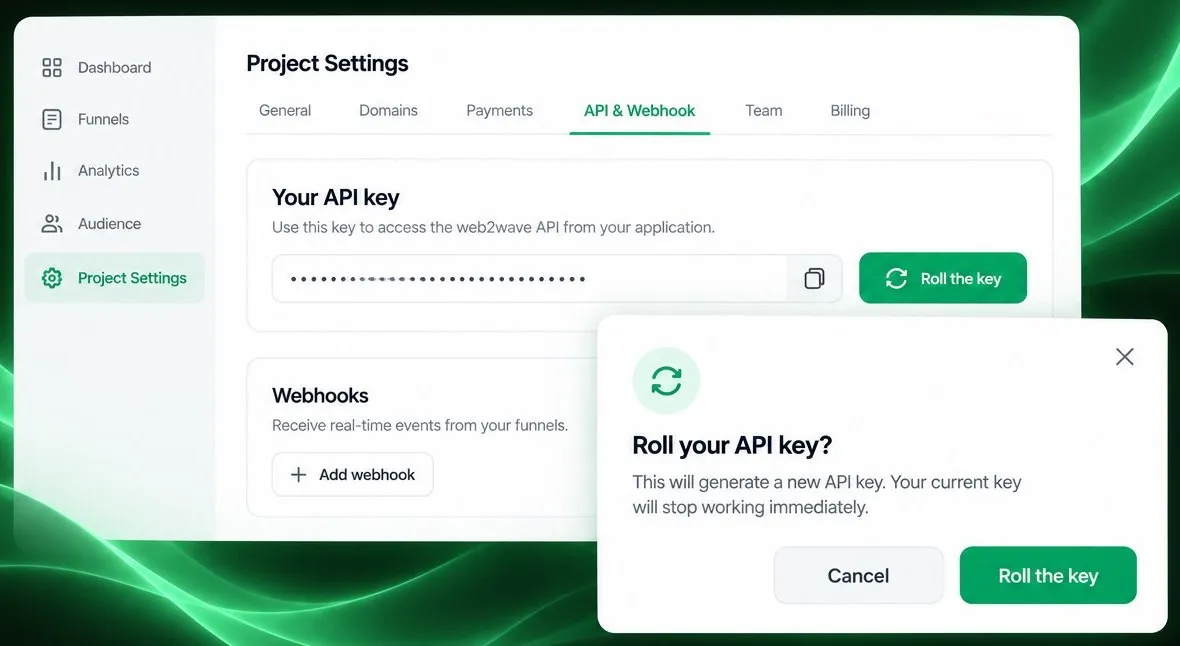
You can now generate a new project API key right from the API & Webhook tab, with no support request needed. The button is available to Owners, Administrators, and Project Editors, and asks for confirmation first. The old key stops working immediately, so rotating after a leak or team change takes seconds.
One API key for all your projects
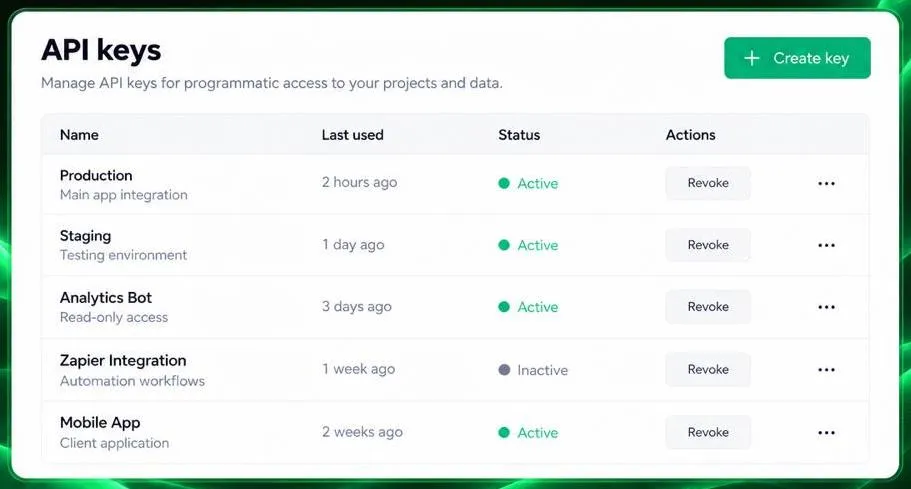
You can now create client-level API keys in your cabinet and use a single key across all your projects. Access is controlled by your role in each project, so Analysts get read-only access to quizzes and paywalls, while Editors are kept away from analytics, users, and subscriptions. Keys can be created, viewed, and revoked anytime in the new API keys section of your profile. It's a good fit for agencies and teams managing many funnels with one integration.
Know which API key changed your funnel
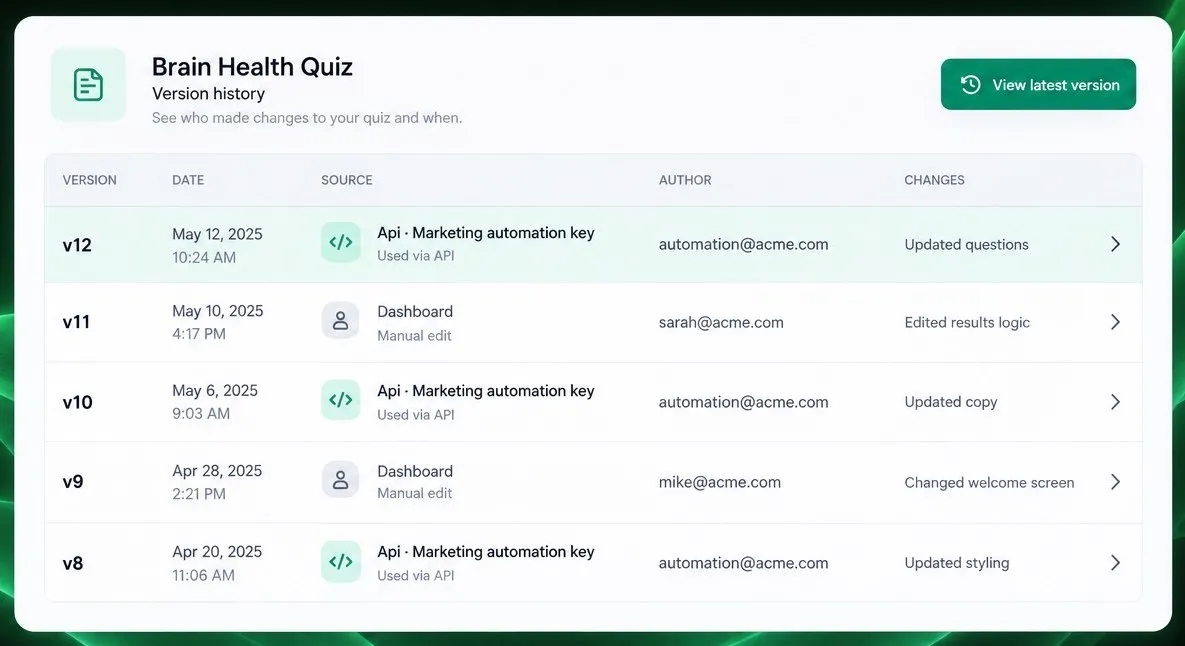
The version history of quizzes and paywalls now shows which API key saved each version, for example "Api · your key name," along with the owner's email. This makes it much easier to trace changes made through the API or MCP tools across teams and integrations. Only versions saved after this release will show the key name.
Quiz and paywall building
A new App Store block
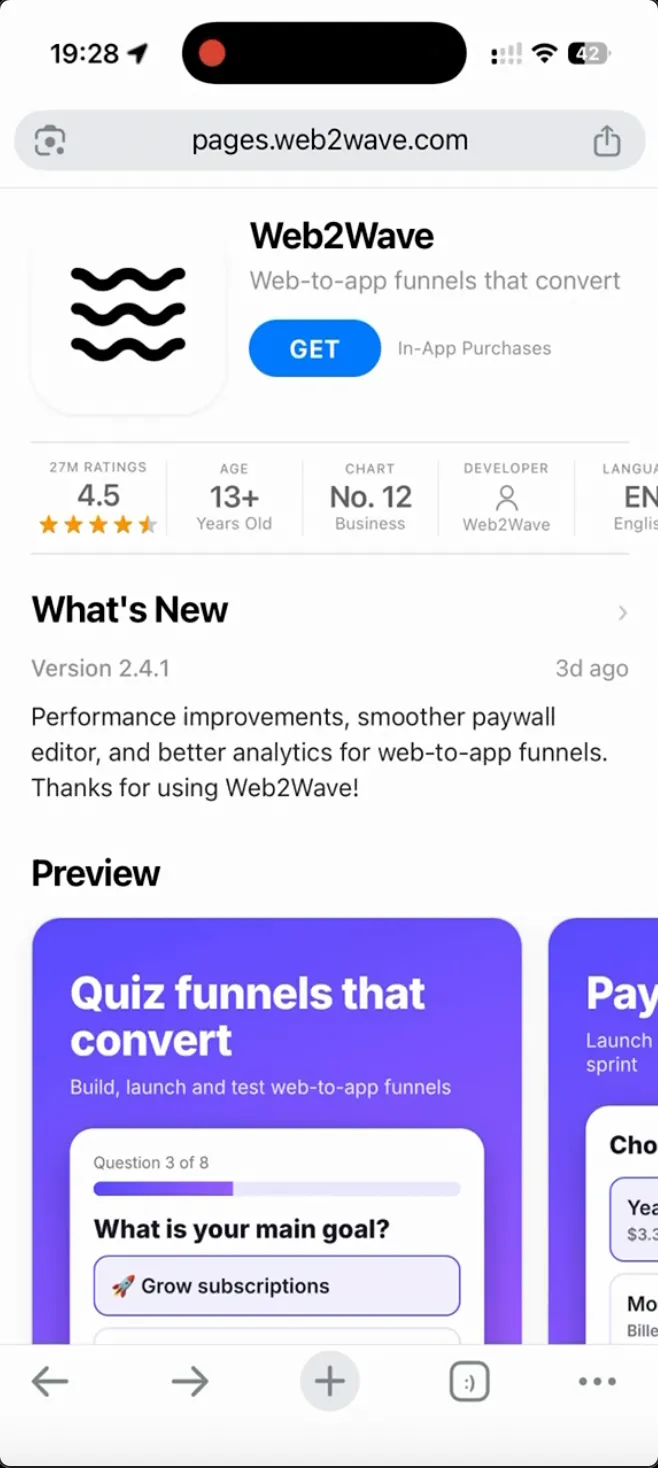
A new App Store block looks like a real App Store page, and you can change all the text inside it to fit your funnel.
Randomize answer order in multiple choice
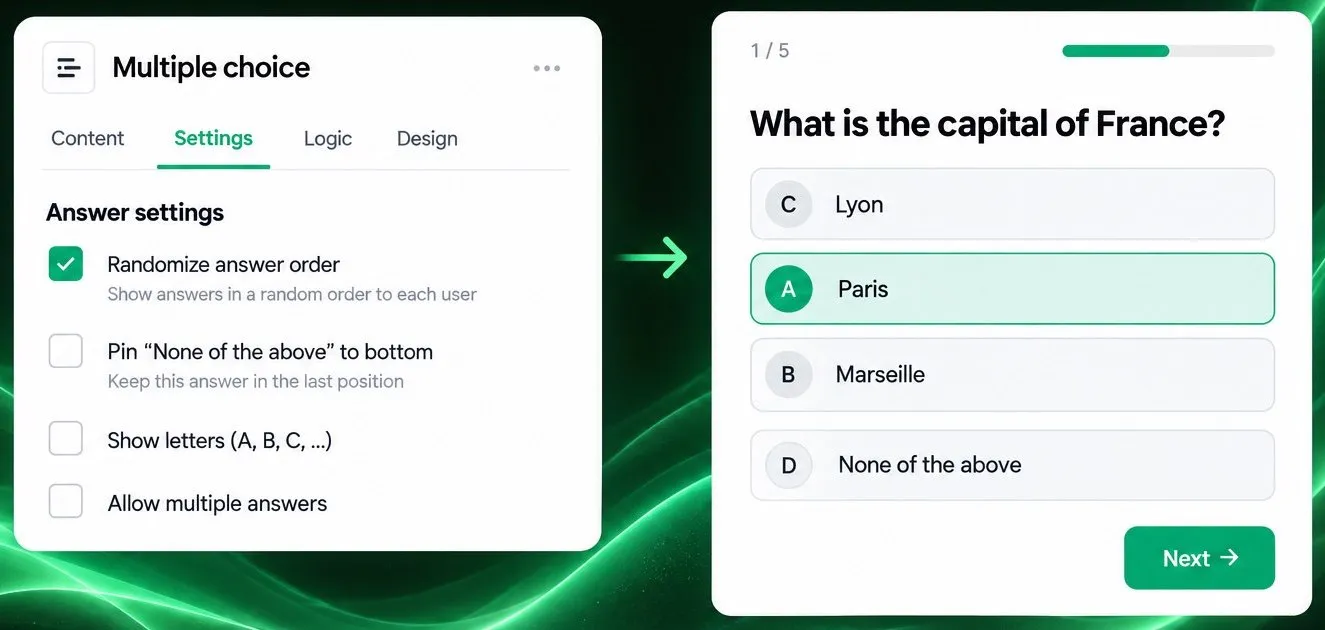
The Multiple choice block now has a "Randomize answer order" option. Each visitor sees the options in a different order, so position bias doesn't skew your results. Options like "None of the above" stay in place, and your analytics and conditional logic keep working with the original answer order. It helps with surveys and segmentation quizzes where fair answer data matters.
Pick redirect targets from a dropdown
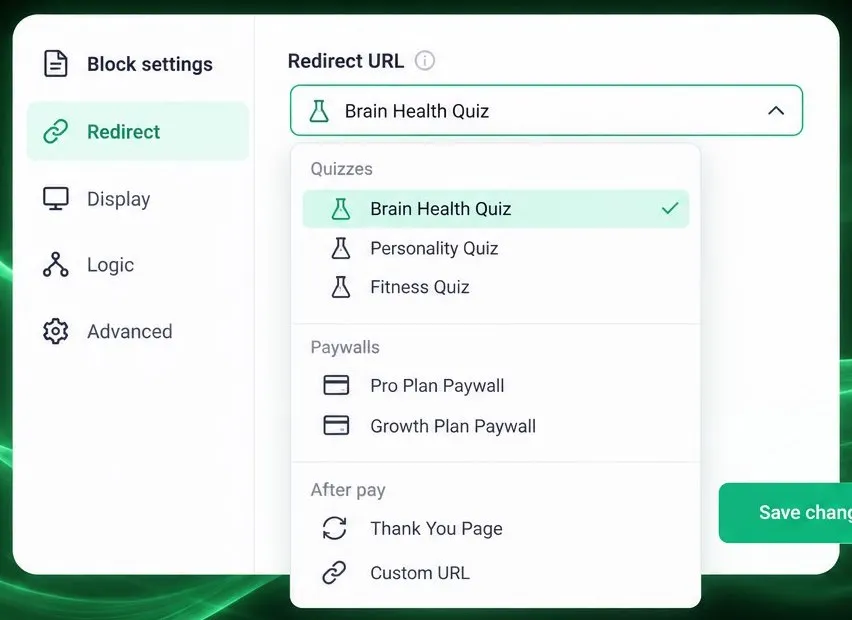
Redirect URL fields in the editor are now dropdowns listing your project's quizzes, paywalls, and the After pay token, so there's no more copy-pasting links or mistyping slugs. Custom URLs and functions are still supported, so you keep full flexibility. It's handy for button links, timer-end redirects, and upsell fallback routes.
Get started
Everything above is live in your web2wave account. Open Analytics to turn on LTV Predictions, or connect your AI assistant to the MCP to start with the big ones.
Share this Article
Build your web funnel with web2wave
Start using web funnels: Launch faster, convert better, and keep more revenue with no app store limitations