


Content
Try for freeFebruary 2026 product updates
Product Updates
March 10, 2026
Product Updates
March 9, 2026

From financing your ad spend to bringing your own payment gateway, February's updates give you more control over how you grow and how you run your funnel. Here's what's new.

Katya Madonova
web2wave
Paid Ads Financing
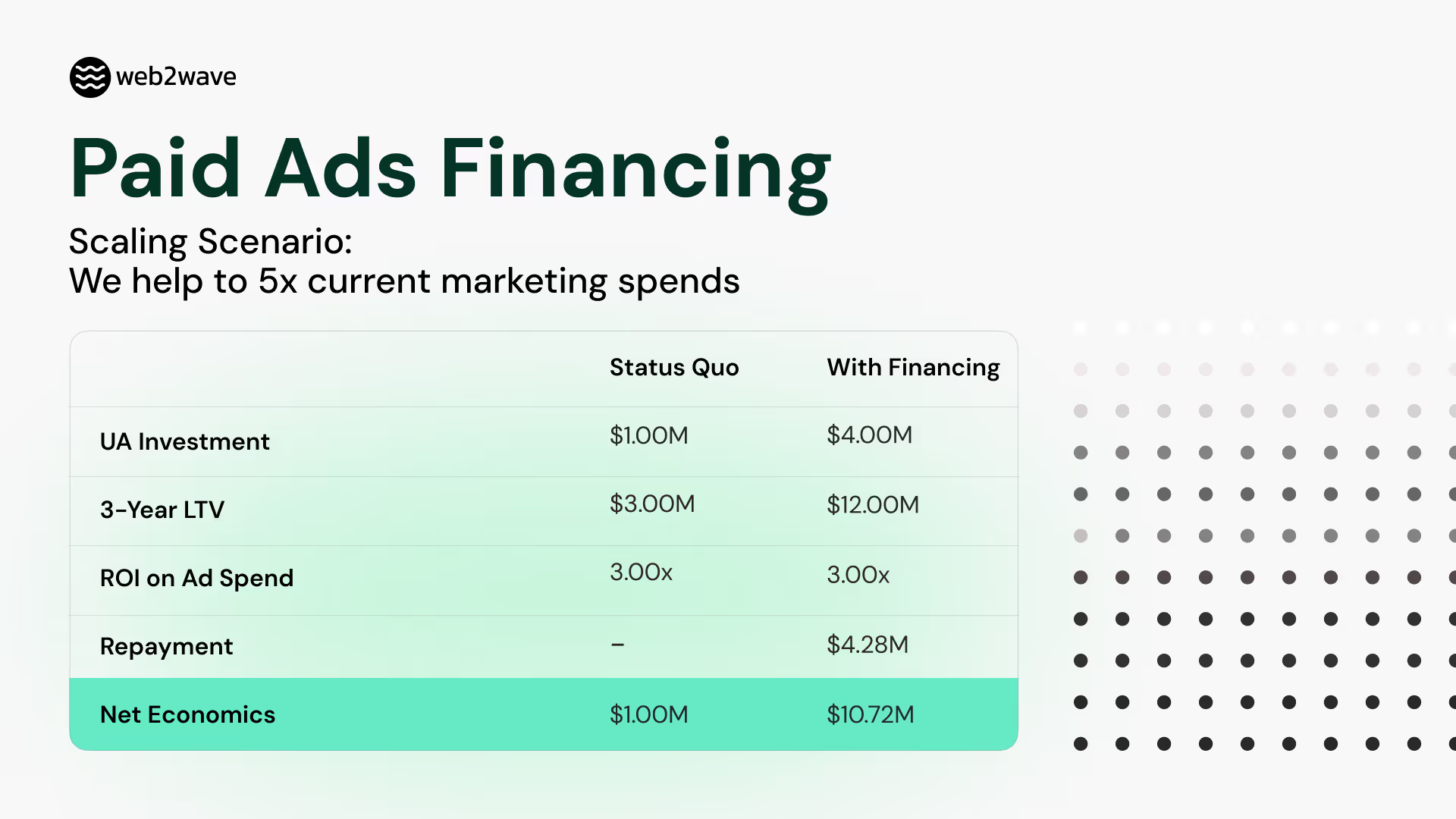
We now offer non-dilutive capital to help you scale user acquisition without giving up equity.
You draw down capital as needed and repay based on cohort performance. If cohorts underperform, we share the downside risk. Costs are transparent with no hidden fees.
As an example: scaling a $1M UA budget to $4M with financing while maintaining a 3x LTV/CAC ratio increases net economics from $1M to $10.72M over 3 years, after repayment.
Custom external payment systems
.avif)
You can now use your own payment gateway and still get the full web2wave stack: analytics, A/B tests, UTM report, pixel CAPI (Meta, TikTok, Snapchat), email sequences, webhooks, API, subscription lists, and RevenueCat/Adapty integration.
You handle billing with your PSP and notify web2wave when a subscription or invoice is created via API or JS SDK. Works with embedded checkout (iframe) or redirect. Conversion events and attribution work the same as with built-in gateways.
Xsolla is the first PSP connected through this flow. You can now sell subscriptions using Xsolla on a web2wave paywall, making the full Xsolla payment platform available to mobile apps running web2app funnels.
Read documentation → | Xsolla code example →
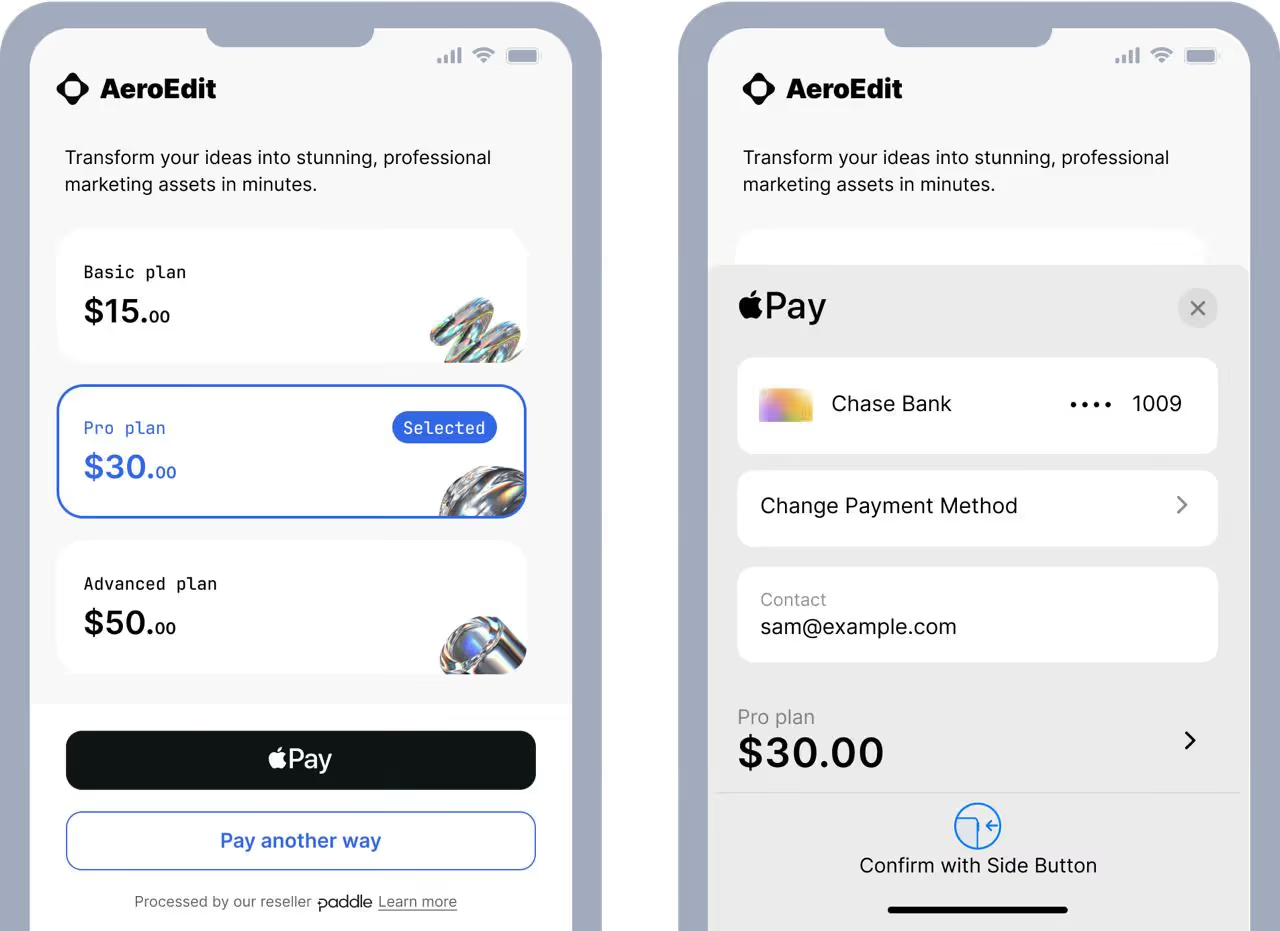
Paddle Express Apple Pay button: Early Preview
You can now embed a Paddle form in compact mode with an Apple Pay button visible at the top. This feature is in early preview and requires enablement on the Paddle side. Contact us and we will help you get it set up.
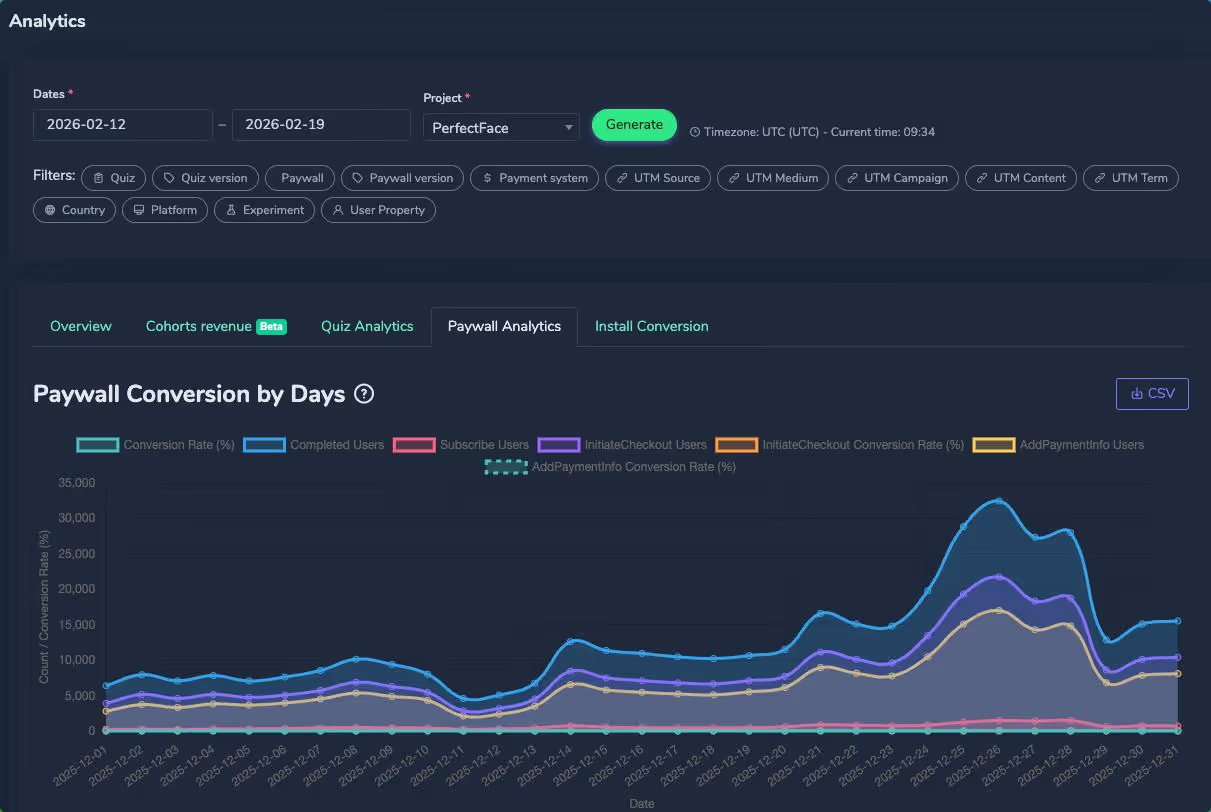
New graphs in Paywall Analytics
Two new conversion metrics are now visible in Paywall Analytics:
Conversion to Initiate Checkout — users who opened the payment form.
Conversion to AddPaymentInfo — users who entered card details.
These sit between paywall view and purchase, giving you a clearer view of where drop-off happens in the payment flow.
Add your own LTV predictions
You can now bring your LTV calculations into the platform using new API methods on the Update Subscription endpoint. Pass values into four fields: projected_revenue_32d, projected_revenue_62d, projected_revenue_184d, and projected_revenue_367d.
Once connected, go to Project settings > Analytics tab and enable "Show pLTV-XX / ROAS columns in UTM report." These columns will then appear in your UTM report. Connect your Meta account to also see actual and predicted ROAS side by side.
Built-in LTV predictions are also in preparation.

Export analytics data to BigQuery
You can now sync subscriptions, events, and user properties to BigQuery in addition to MySQL and PostgreSQL. Add your credentials in Project settings > Analytics tab and we sync the three tables every 5 minutes.
%20to%20BigQuery%20.avif)
Smarter condition builder
Setting up conditional logic is faster with three additions:
Autocomplete for properties — the property field now suggests common values as you type, including UTM params, language, country, device, experiment groups, screen IDs, and more.
Suggested values per property — the value field shows relevant options based on the selected property. Experiment variants, UTM values from your real traffic, language codes, all 250 country codes, viewport format, and user platform are all covered. Free-form input still works.
New "in / not in" operators — select multiple values at once instead of creating separate rules for each. Available in both block conditions and screen conditions.

A/B testing improvements
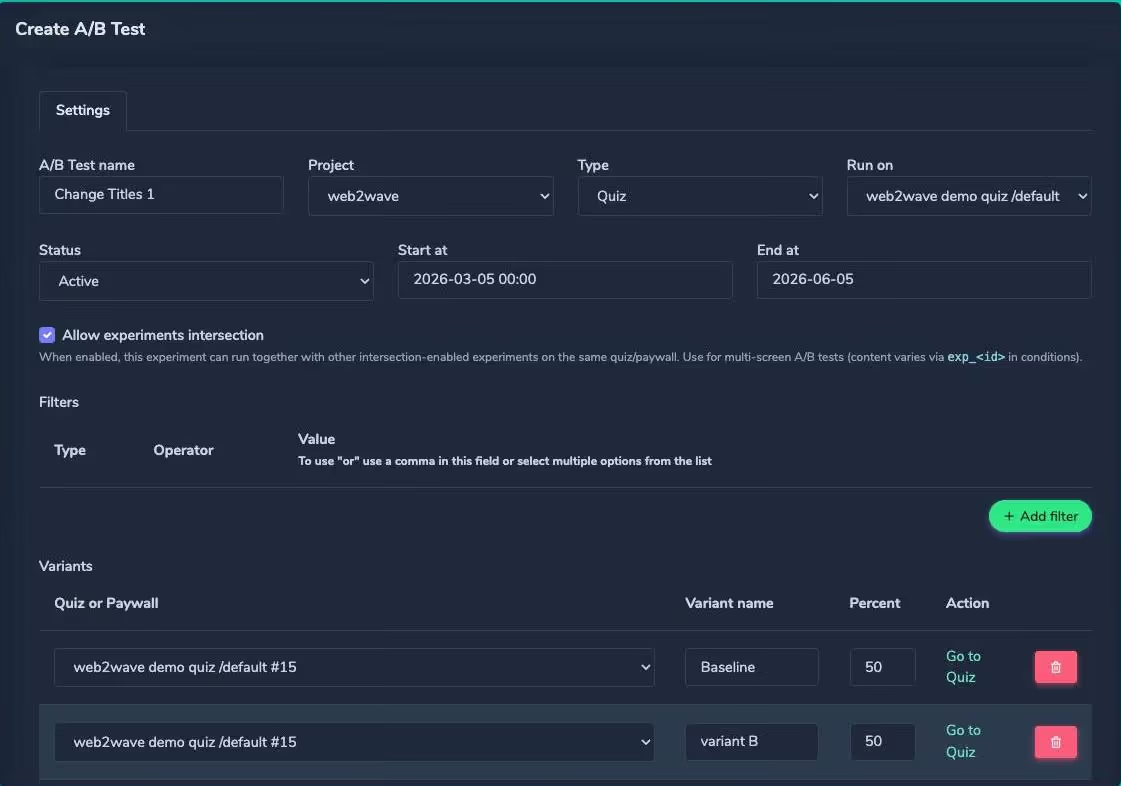
You can now stack experiments on the same quiz. Enable "Allow experiments intersection" on an experiment and users will be assigned to all matching experiments at once, with each stored as a separate property (exp_42, exp_55, etc.).
This lets you test headline copy, button color, and screen layout all at the same time on the same users, with each experiment tracked independently. You can also run an A/B test without creating a new quiz by making changes directly in your working funnel.
Standard experiments are unchanged. If intersection is off, everything works exactly as before.
A new User Platform filter is also available in A/B test results, so you can see how iOS and Android users respond to variants separately.

3 new media blocks
Fullscreen video — well suited for short drama-style funnels.
Select audio — lets users choose between different voice or audio options.
Audio player — display audio examples within your funnel.
.avif)
New ad platform integrations
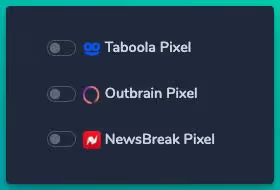
Three new pixel integrations are available: Taboola, Outbrain, and NewsBreak. Add pixel IDs in Project settings > Analytics and we will start sending all required events.
Icon picker for Select block
You can now change icons on the Select block directly in the editor without touching code.

That's February. From financing to payment flexibility to deeper analytics and testing controls, all of these features are live in your account. Log in and try them out, and reach out if you need help getting set up at hello@web2wave.com or book a call with our team.
About web2wave
web2wave is the #1 web2app funnel builder, helping mobile app developers convert web traffic into paying subscribers before app installation through quiz-based onboarding flows and paywalls. Start a free demo.
Share this Article
Build your web funnel with web2wave
Start using web funnels: Launch faster, convert better, and keep more revenue with no app store limitations
.webp)